How do I share a Facebook photo with friends instead of everyone?
The short answer
Check the audience for that post before sharing. Friends means Facebook friends; Public opens it to a wider audience; Only me keeps it visible to you. If you tag people, also check whether that expands the audience.
Source partly reviewed — details
What this answer is based onWhat to do
Check the audience attached to the actual post. A future-post default does not replace reviewing older posts.
- Open the audience selector while creating the post. Read who is included. For a family photo, decide whether all friends are suitable or a smaller audience offered by the app would be better.
- If you have already shared it, open that post’s menu and its available audience setting. Save your choice and check it beside the post.
- Set a default for future posts separately. Still check the individual choice before sharing, especially after tagging people or posting somewhere else.
For ordinary personal-profile posts. Stories, Reels, groups and Pages have their own settings.
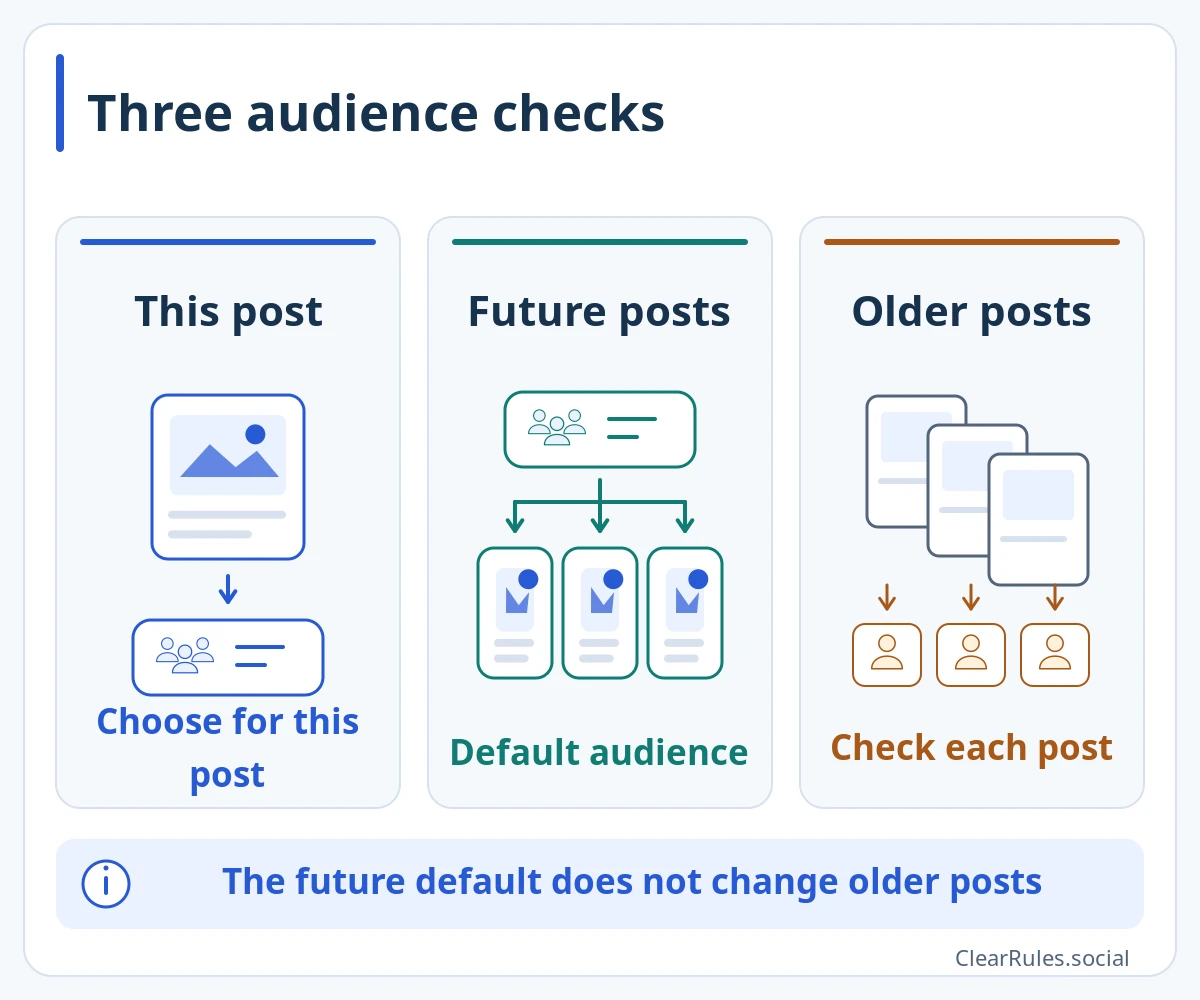
Check the audience for each of these separately.
The future-post default does not change older posts. Check their audiences separately.Enlarge diagramIllustrative diagram, not a screenshot Setting names and positions in the app may differ. Source for this explanation
The situation
You are sharing weekend photos with people you know. Just before posting, you notice Public is selected. Choose the audience you want. A post can still be public even if most people who read your profile are friends.
The situation and an improvement
Choose Friends in general settings and assume yesterday’s public photo is now private.
Open yesterday’s post, check its audience and change it separately if needed.
One more example
Someone tagged you in their photo
A friend shares a group photo publicly. You choose Only me in the setting for who to add to posts you are tagged in.
What to do
That does not make the friend’s original post private. If you do not want their audience to see the photo, ask the author to remove it or change its audience.
What this answer is based on
Facebook Help Center — Select your audiencewww.facebook.comFacebook Help Center — Set a default audience for postsFacebook Help Center — Audience of posts you are tagged inMeta — Default audience and individual post choicesMeta — Choosing the audience of your own contentOnly a source excerpt was availableReview details
Source reviewed:
We could read only an excerpt of the official page in search results. The full conditions and exceptions have not yet been checked.
Reviewed official audience-selection excerpts and the tagged-post help text available in search. Read Meta’s 2022 explanation of future-post defaults and individual choices. Full Help pages could not be opened; this guide covers ordinary personal-profile posts.
Include the guide link, language and wording that needs checking. Add an official source link if you have one. Do not send passwords, login codes or photos of identity documents.
Examples are made up to explain the guidance. Meta decides individual account and content cases.
Study this topicWho will see what you share?Sources and related topicsPolicy Graph · Demo in development