Someone tagged me in a Facebook post I do not want on my profile. How do I remove it?
The short answer
First decide what you want changed: the tag linking to you, the post’s appearance on your profile, or the original post itself. These are different goals. Hiding something from your profile or removing your tag does not delete someone else’s original publication. This guide covers Facebook personal profiles; it does not verify an Instagram or Facebook Page workflow.
Source partly reviewed — details
What this answer is based onWhat to do
Before changing anything, save the post link, author and date. If there is harassment, keep necessary screenshots privately, including relevant context. Avoid reposting abusive material to explain the problem. Evidence preservation and the checks below are practical precautions, not a guarantee of a report outcome.
- Open Facebook directly with the correct personal profile. Find the specific post using its link, the notification or your Activity Log. Avoid following suspicious links inside the post.
- Open the options offered for that post or tagged activity. Read each action and confirmation. To change only what appears on your own profile, use a hide-from-profile option if available. Do not treat “hide” as deletion of the original or automatically assume it removes your tag.
- If your goal is to remove your profile tag, choose the remove-tag option offered for that item and follow its confirmation. If the option is missing, look for the tagged activity in Activity Log or consult official Help; do not rely on a historical bulk-removal tutorial.
- Check your profile after the change, then inspect the saved original link separately if you still have access. A post that you can no longer open is not proof that nobody else can see it; do not create another account to bypass access limits.
- If you need the original removed, consider asking its author only when contact feels safe. For genuine abuse, use the report option for the relevant content and choose the truthful reason. Removing your tag and reporting abuse are separate actions; neither guarantees removal.
- Review Facebook settings relating to your profile, tagging and review of tagged posts before profile appearance. Read the scope shown to you and save any choice you make. If a control is absent or fails, use in-app Help with the post link, exact error and app version, keeping passwords and login codes private.
For someone else’s Facebook post: identify which connection you want to change.
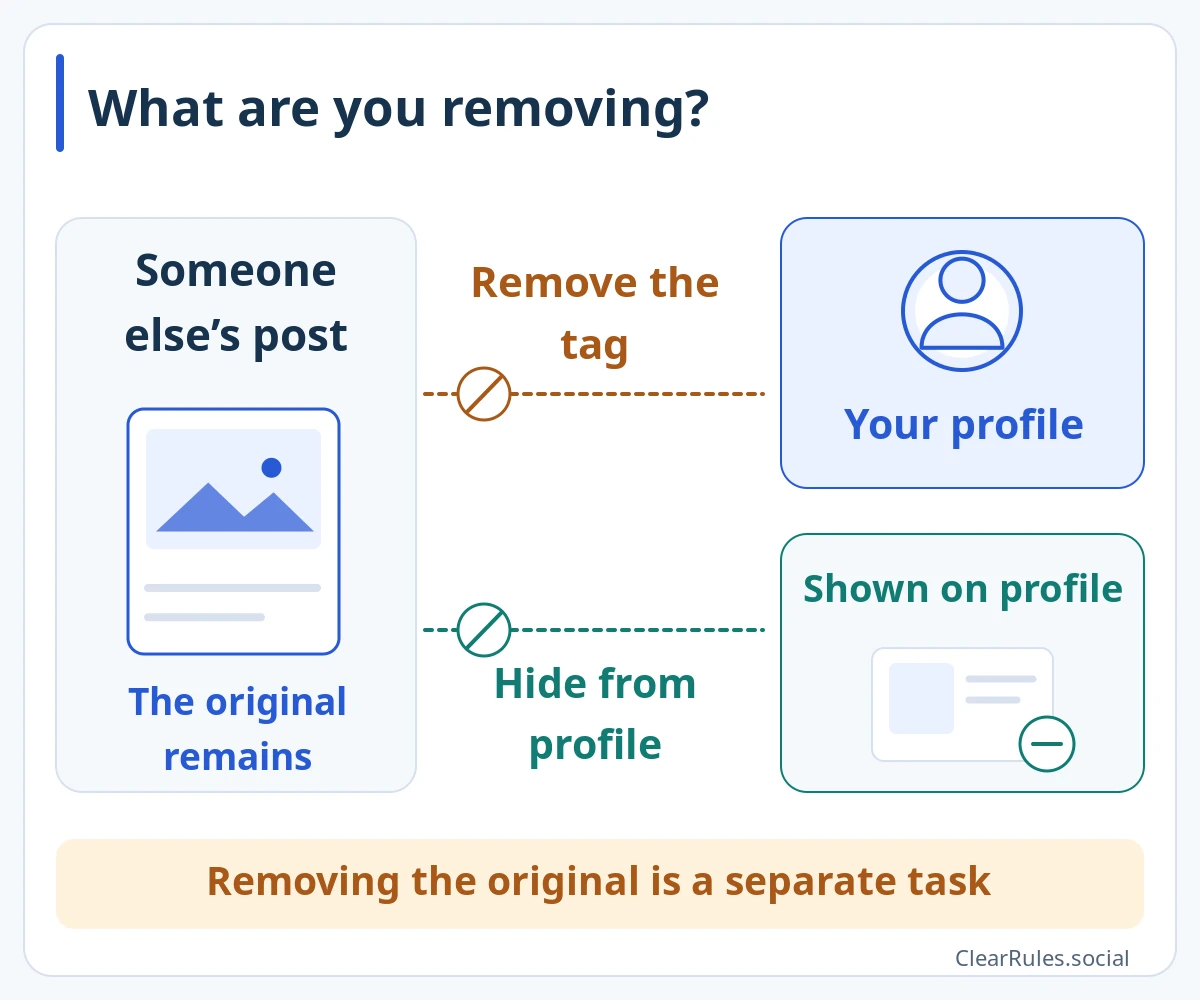
A tag links the post to you. Whether the post appears on your profile is a separate question. Hiding a post from your profile does not mean your tag has been removed.
These are two scopes, not independent guarantees of outcomes: removing a tag can also affect whether the post appears on your profile. Neither action erases the original, your face in the photo, a written name or copies.Enlarge diagramIllustrative diagram, not a screenshot Setting names and positions in the app may differ. Source for this explanation
The situation
A friend tags you in a party photo. You want a quieter profile but are comfortable leaving the photo online. Start with the profile-display option rather than assuming the whole photo needs deletion.
The situation and an improvement
Hide the post, then assume it has disappeared from Facebook.
Choose the intended change, check the profile and original separately, and address abuse independently.
More examples
Your name remains in the caption
You remove a tag, but the author has also typed your name in plain text.
What to do
Check which part changed. Ask for a caption edit if safe, or report an actual violation; tag removal is not a text-editing tool.
A stranger keeps tagging you
New unwanted posts appear after you dealt with the first one.
What to do
Keep evidence where needed, inspect future tagging and review controls, and report genuinely abusive items. Check each original separately rather than assuming one change covers all copies.
What this answer is based on
Facebook Help · Share and Manage Posts on Your Profile (search excerpt)www.facebook.comMeta Newsroom · Better Controls for Managing Your Content (2012 historical explanation)Meta Newsroom · Protecting Athletes and Fans (2024 general tagging controls)Only a source excerpt was availableReview details
Source reviewed:
We could read only an excerpt of the official page in search results. The full conditions and exceptions have not yet been checked.
The official Help search excerpt on managing profile posts was checked; its full page redirected to login. Meta’s 2012 article was read for the distinction between profile visibility, tags and original content, not current menus or bulk tools. The 2024 safety article confirms tagging controls at a general level. No account was tested. Evidence preservation, separate checks and safe-contact advice are ClearRules precautions; exact controls, notifications and outcomes were not verified.
Include the guide link, language and wording that needs checking. Add an official source link if you have one. Do not send passwords, login codes or photos of identity documents.
Examples are made up to explain the guidance. Meta decides individual account and content cases.
Sources and related topicsPolicy Graph · Demo in development