If I make Instagram private, will my posts be hidden from everyone I do not know?
The short answer
A private account shares posts with its followers, and new follow requests need your approval. Start by reviewing who already follows you: private does not mean close friends only.
Source partly reviewed — details
What this answer is based onWhat to do
Review both your privacy setting and your follower list. They work together.
- Find Account privacy in Instagram settings and switch on Private account. If the app prevents the change, read its explanation first.
- Open your follower list. Remove people you do not want to share personal posts with. If someone keeps trying to contact you, see the blocking guide below.
- Decide whether you want the people still following you to see your next post. Review new follow requests carefully. If you also share the post to Facebook, check its audience there separately.
- Include Stories and Reels in your privacy check: Meta says these are also limited to the private account’s approved followers. Before sharing, check that you are using the intended profile and that Private account is still on; this is a precaution, not a test of every viewer’s access.
- If someone unexpected sees a post, first check whether they are still an approved follower or saw a copy shared elsewhere. Making the account private is not the same as removing a follower or withdrawing a copy that already exists.
With a private account, review both existing followers and new requests.
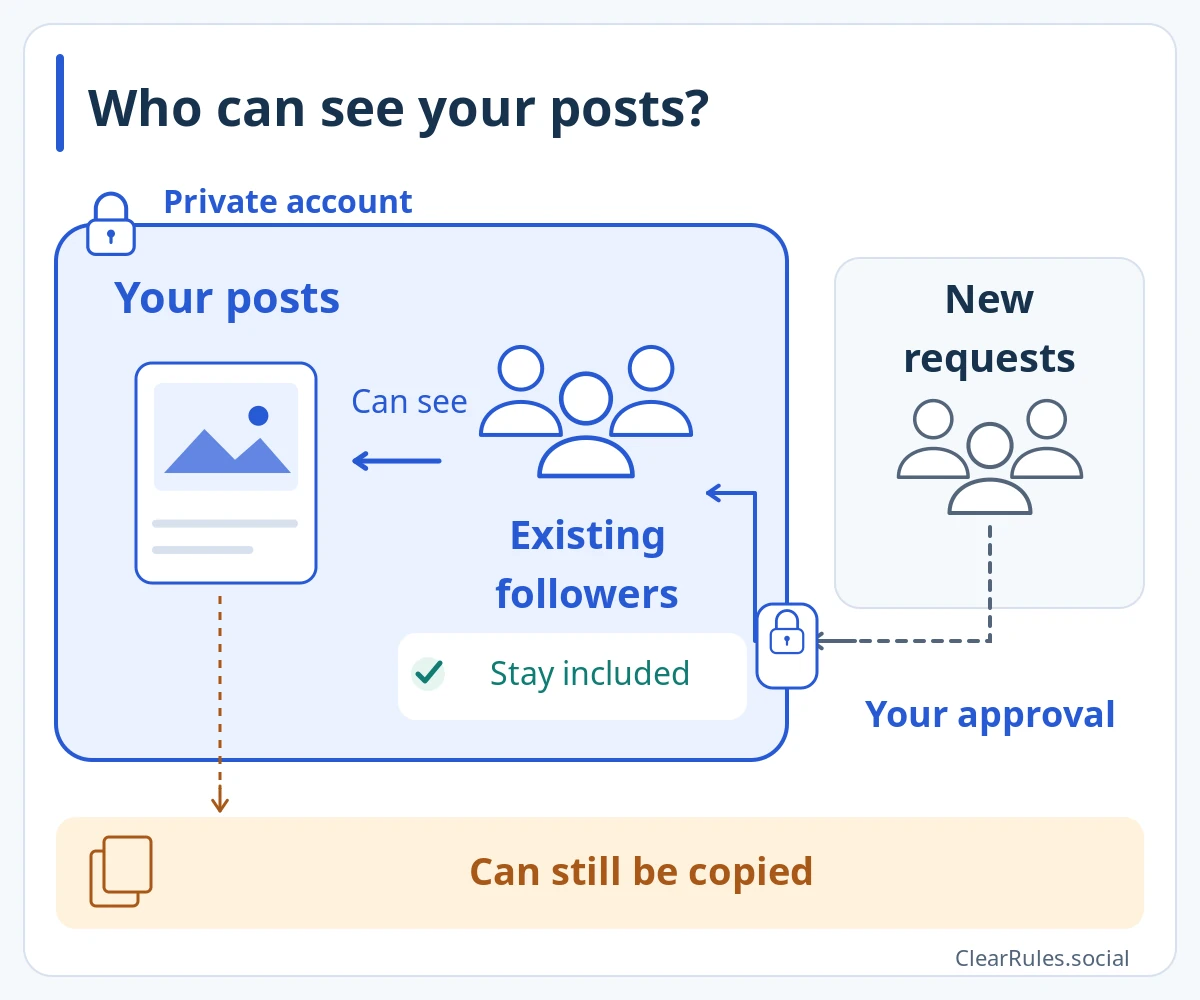
Existing followers stay. New requests need your approval.
Review who already follows you. A private account does not prevent posts from being copied.Enlarge diagramIllustrative diagram, not a screenshot Setting names and positions in the app may differ. Source for this explanation
The situation
You want to share family photos with people you know, so you make your profile private. Your followers still include an old colleague and dozens of unfamiliar accounts. Decide which of them you actually want to share these photos with.
The situation and an improvement
Go private and immediately share a personal photo without reviewing your followers.
Review the follower list first, then decide which photos you want to share with those people.
What this answer is based on
Instagram Help Center — Make your Instagram account privatewww.facebook.comInstagram Help Center — Remove a followerMeta — How private Instagram accounts workMeta — Instagram privacy and security remindersOnly a source excerpt was availableReview details
Source reviewed:
We could read only an excerpt of the official page in search results. The full conditions and exceptions have not yet been checked.
Read Meta’s explanation of private-account content visibility. Privacy settings, follower removal and approval of new followers were checked against official search excerpts. Full Help pages and the current interface could not be reviewed.
Include the guide link, language and wording that needs checking. Add an official source link if you have one. Do not send passwords, login codes or photos of identity documents.
Examples are made up to explain the guidance. Meta decides individual account and content cases.
Study this topicWho will see what you share?Sources and related topicsPolicy Graph · Demo in development