I turned contact uploading off. How do I check and remove contacts Facebook already received?
The short answer
Treat this as two checks: the setting for future uploads and the list of contacts already uploaded. An off switch alone is not evidence that an earlier list is empty. This guide covers your Facebook account in the mobile Facebook app. Messenger is a separate app to check if you use it; the Facebook menu below is not a Messenger walkthrough.
Source partly reviewed — details
What this answer is based onWhat to do
Before changing anything, identify the signed-in Facebook account, the app and the phone. Note the current switch position and date.
- Open the Facebook app on the phone you want to check. Verify the profile/account before entering settings.
- Follow Settings & privacy → Settings → Accounts Center → Your information and permissions → Upload contacts, then select the Facebook account. This route comes from an indexed official Help excerpt; labels can differ. If it is absent, use the linked Facebook Help guidance rather than guessing at a similarly named setting.
- Check the upload control: the official excerpt names Continuous contacts upload on Android and Upload contacts on iPhone. Set the relevant control to off and read any confirmation. Return to it to check the displayed state; record which account, app and device you checked.
- Next open the manage/delete uploaded contacts link provided in official Facebook Help. Confirm the signed-in account and inspect the list and its description. Do not assume a list for Messenger covers Facebook, or vice versa. If deletion is offered, read its scope and confirmation before choosing it; do not delete contacts from your phone to accomplish this.
- After the action, read the resulting message and revisit the same list if available. Distinguish a request received from a confirmed empty list. As a precaution, separately inspect other phones or tablets and Messenger if used; do not assume one Facebook switch controls every app and device.
- If the option is missing, the account is wrong or the list remains unclear, stop before confirming further changes. Use the official Help page or in-app help, describing the account context, device, app version and exact message without disclosing the contact list or login secrets. Keep any stated processing instructions; do not invent a completion time.
For contacts uploaded by your Facebook account. First confirm the app and device you are checking.
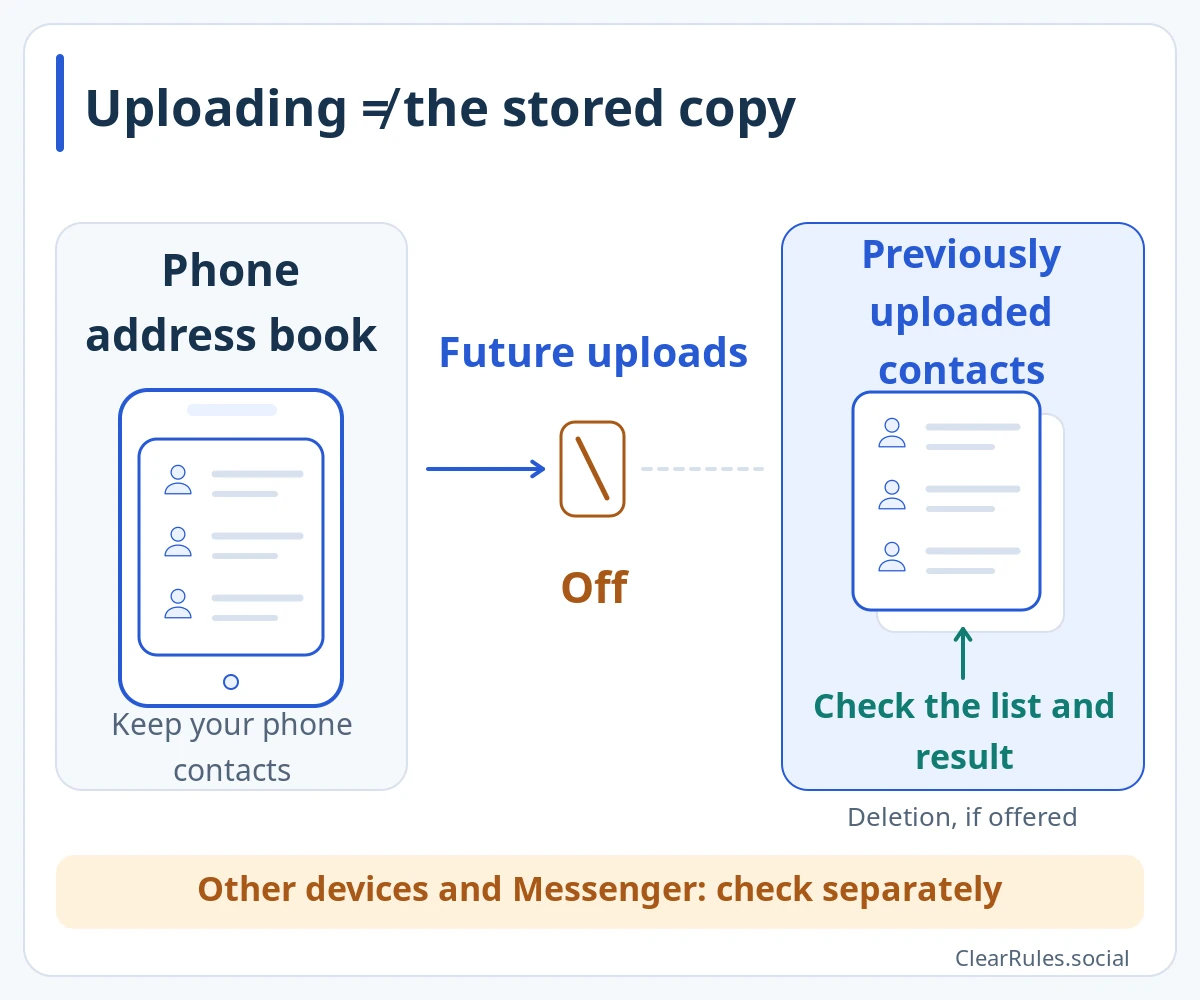
The switch controls uploading. Check the previously uploaded list separately: an off state does not prove the list is empty.
Read the deletion scope and result message. Confirmation that your request was received does not mean the list is empty. You do not need to delete your phone contacts for this check.Enlarge diagramIllustrative diagram, not a screenshot Setting names and positions in the app may differ. Source for this explanation
The situation
You allowed Facebook to upload your phone contacts while setting up a new phone. Now you want to stop that sharing and review the earlier upload without wiping your phone’s address book.
The situation and an improvement
Turn off one switch and assume every previously uploaded contact has gone.
Check future uploading, review the correct uploaded list and verify the displayed result separately.
More examples
The upload switch is already off
The uploaded-contact list still displays entries.
What to do
Confirm that it belongs to the intended account and app, then use its offered deletion control after reading the confirmation.
A second phone still has Facebook installed
You completed the checks on your current phone but also use an older device.
What to do
Inspect the other device separately as a precaution and note its state. Consult Messenger’s own Help if needed.
What this answer is based on
Facebook Help · Contact uploading in the Facebook mobile appwww.facebook.comFacebook Help · Privacy issues and already-sent invitationsMeta Newsroom · Historical contact-upload context (2018)Only a source excerpt was availableReview details
Source reviewed:
We could read only an excerpt of the official page in search results. The full conditions and exceptions have not yet been checked.
The mobile Facebook menu and upload labels rely on an indexed official Help excerpt, not a directly read Help page. An official privacy Help excerpt supports the limitation on already-sent invitations. The read Meta article from 2018 provides historical context for stopping uploads and viewing/deleting Messenger contacts only; it does not verify current Messenger menus or current call/SMS behavior. No account was tested, no deletion time was confirmed, and no all-device effect was verified. Separate-device checks and result verification are ClearRules precautions.
Include the guide link, language and wording that needs checking. Add an official source link if you have one. Do not send passwords, login codes or photos of identity documents.
Examples are made up to explain the guidance. Meta decides individual account and content cases.
Sources and related topicsPolicy Graph · Demo in development